
Benchmark Terminology Preference
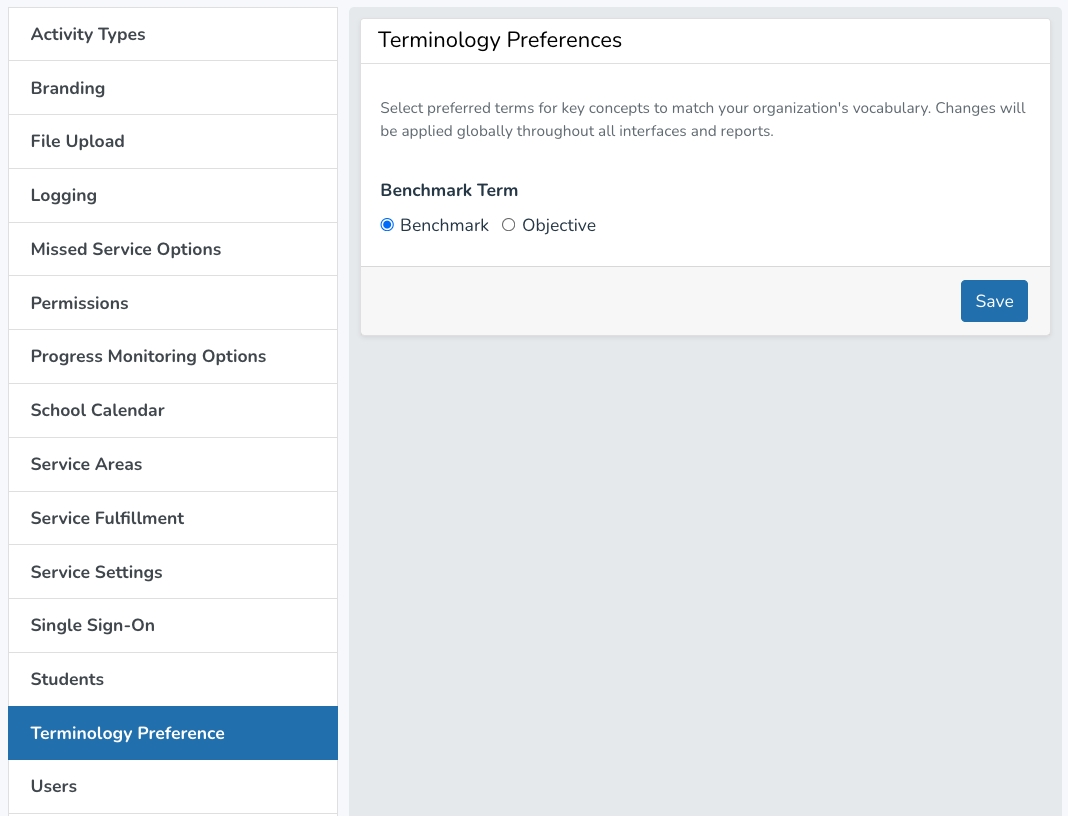
Districts will now have to option to use the term "Benchmark" or "Objective" throughout the website and reports.
To update your preference:
- Go to the Settings Page
- Select Terminology Preference
- Select "Benchmark" or "Objective"
- Click Save
Other Updates
- Service log goal minutes validation
- School field added to API payload for billing customers
- Clearer error messages for billing validation
- Sorting by benchmark/objective step in Progress Monitoring Reports
- Various bug fixes